One endpoint — all agents
Connect one MCP URL and the agent gets access to everything: pages, databases, tasks, projects, calendar, CRM, time and uploads. Switch from Claude to Cursor to ChatGPT — the context follows.
Claude, ChatGPT, Cursor and your own agents read and write to the same context about customers, projects, meetings and decisions — hosted on our own servers in Norway.
No credit card · under a minute to get going.
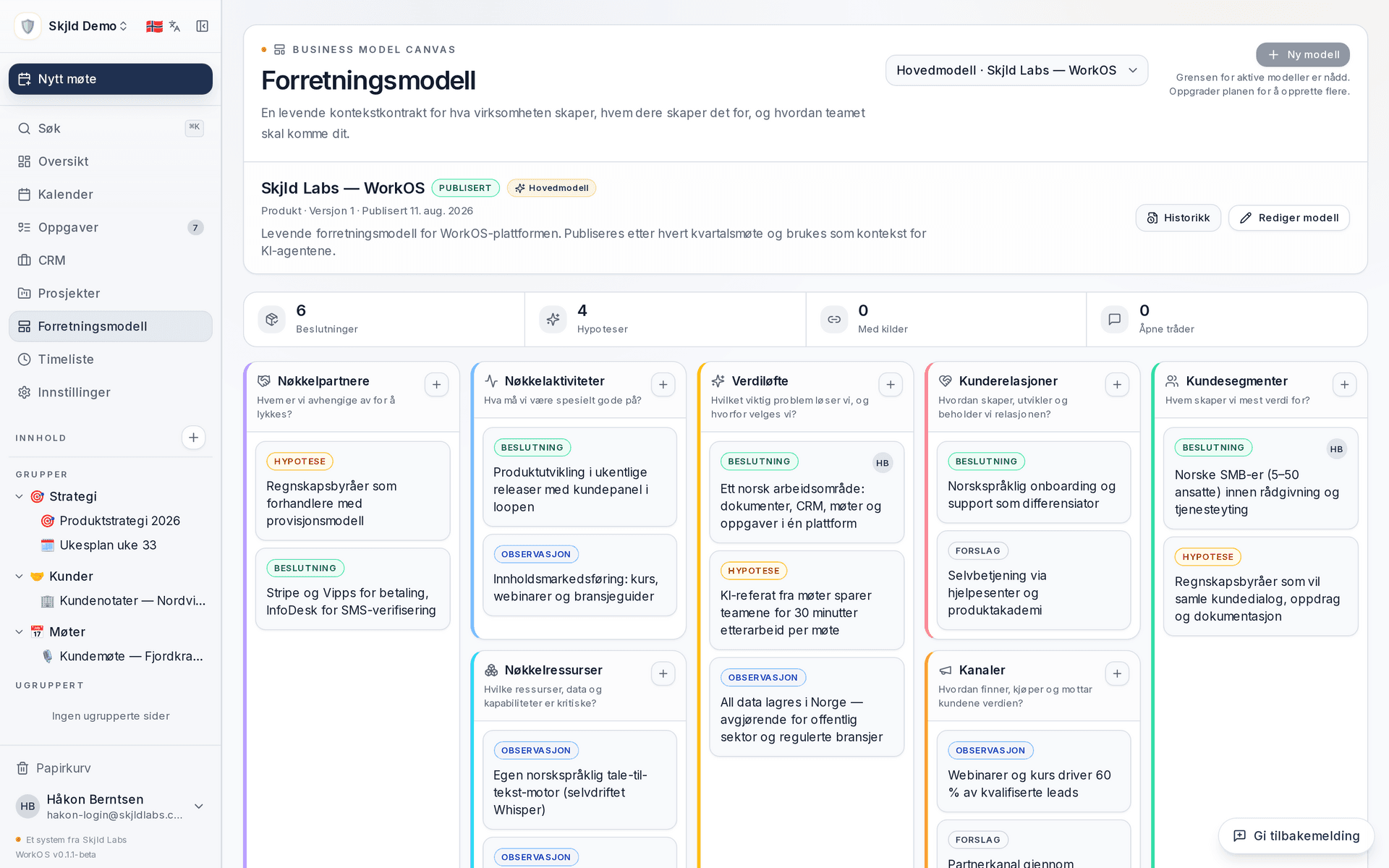
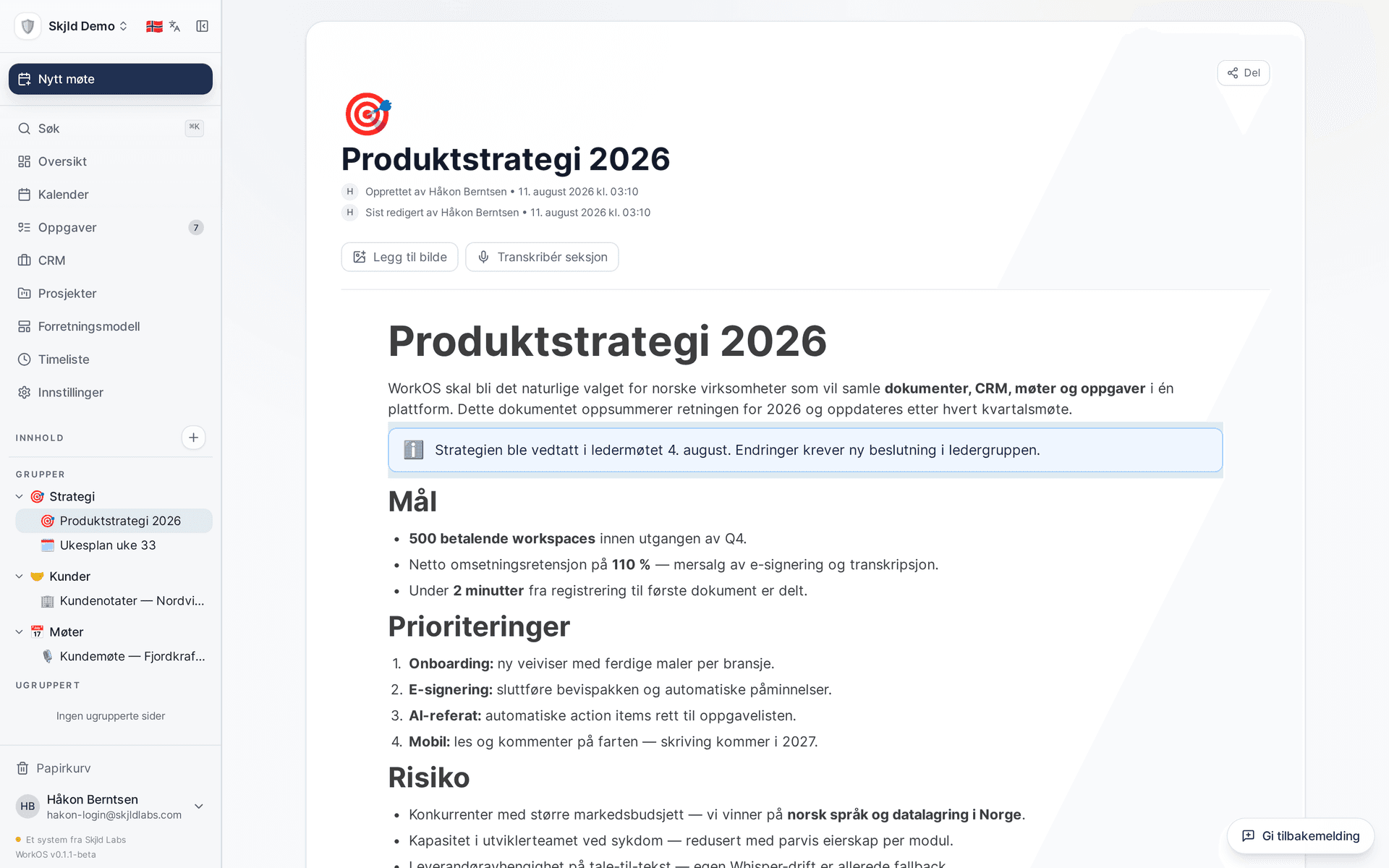
WorkOS is a workspace where teams keep documents, databases and projects together — and where their AI agents can connect and use the same context.

What makes us different isn't that we have documents or databases — everyone has those. It's that your AI agents have the same access to them as you do. When Claude needs context about a customer, it goes to the same place you do.
WorkOS isn't a chatbot. It's where your agents fetch the context they need — and write back when they've done the work.

Connect one MCP URL and the agent gets access to everything: pages, databases, tasks, projects, calendar, CRM, time and uploads. Switch from Claude to Cursor to ChatGPT — the context follows.
The difference from documents in Google Drive: the agent can update a deal, create a task or write a summary directly in WorkOS — without going through people. The changes are there next time you open the page.
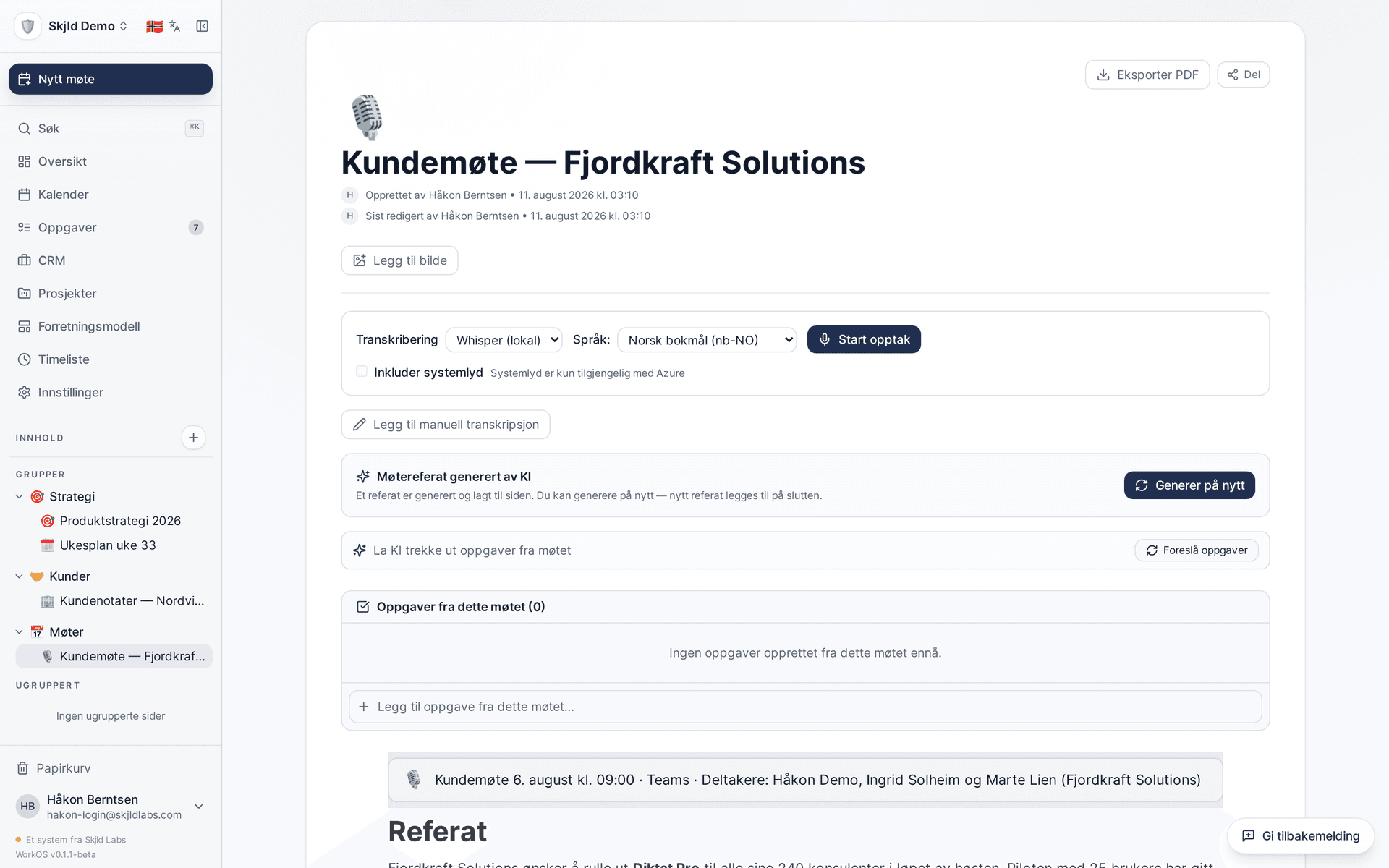
Norwegian transcription captures the meeting word for word. Claude writes the minutes and pulls out action items. When the customer asks the agent for status next week, it's all there — the agent finds it itself.
Clients that work today
Claude Desktop, Claude.ai, Cursor, Cline, Continue, ChatGPT, OpenClaw — and any other MCP-compatible client.
190 tools available via OAuth 2.1.
It's one thing to list features. Here's how they actually come together when you use the platform.
You're in a planning meeting. WorkOS records and transcribes in Norwegian while you talk. Afterwards Claude writes the summary and extracts action items — automatically assigned to the right person. When you open the workspace the next morning, Anna has already seen her task and ticked off two.

You take notes from a customer meeting. Two weeks later a colleague asks Claude: "What did Lisa say about the Q3 budget?" Claude finds the note, reads the context, and answers — without you needing to remember or explain anything. Afterwards the agent updates the deal in CRM with new status.

You create a project. Assign tasks with status, priority and due date. Board view gives the whole team an overview of what's being done now, what's waiting, and what's done — in the same workspace as the notes and databases. Gantt timeline and table view are on the same project when you need them.

Not just a note-taking tool. WorkOS covers the full breadth of knowledge work — from the first meeting to the final invoice.
Sync Google, Outlook and CalDAV calendars bidirectionally. Hold video meetings directly in the workspace via LiveKit. Get automatic Norwegian transcription (nb-NO) and AI-generated summaries when the meeting is done.
IncludesGoogle/Microsoft/CalDAV sync · live video via LiveKit (up to 12 h) · Azure Speech transcription in Norwegian · Claude-generated meeting minutes · action items from the transcript
Track work from idea to done. Kanban, Gantt timeline, dependencies, email reminders and links to time tracking — all on the same task.
IncludesStatus and priority (LOW/MEDIUM/HIGH/URGENT) · kanban, list and Gantt per project · email reminders and due-date notices · task dependencies and milestones · linked to time tracking
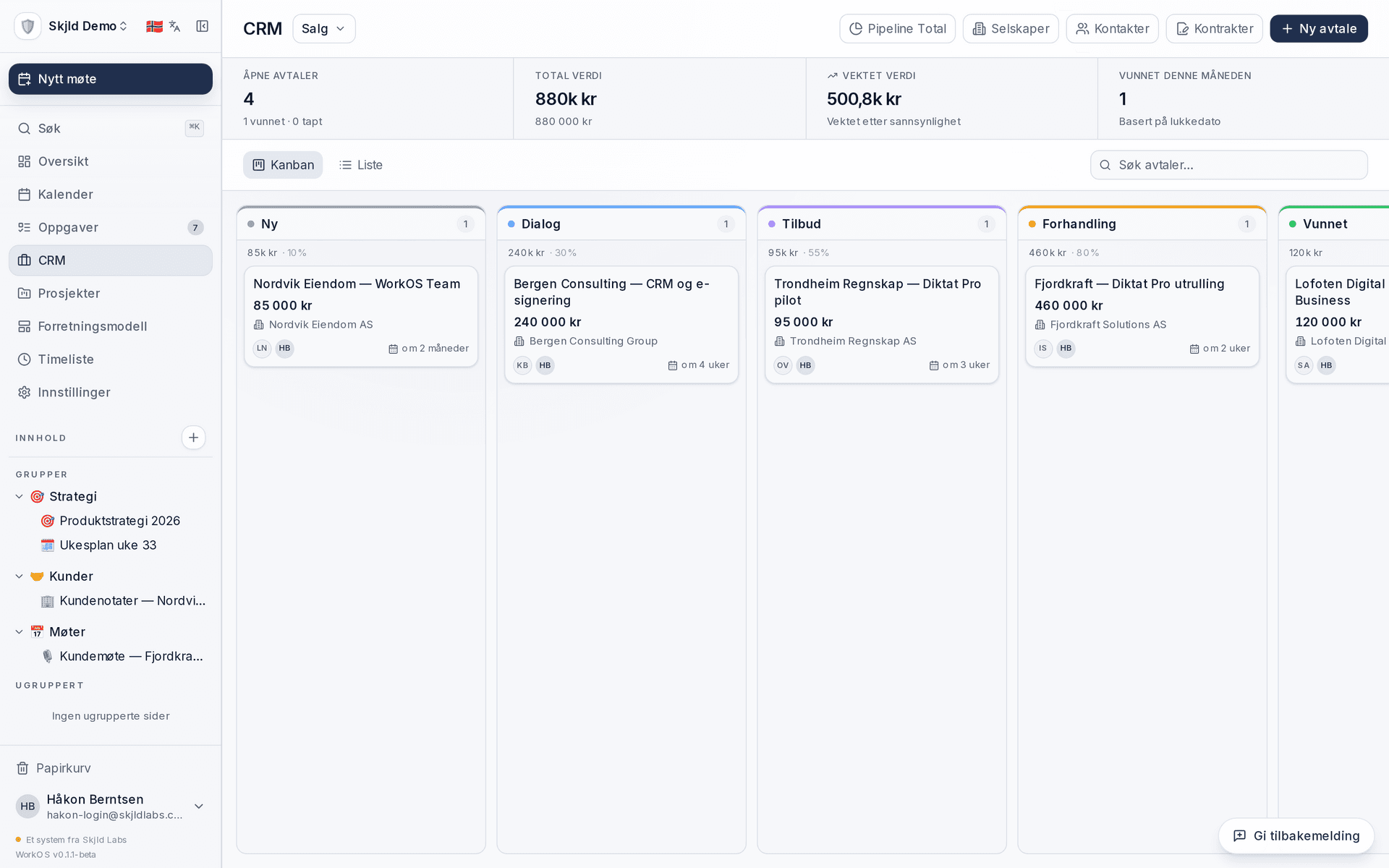
Contacts, companies, deals and activities in the same system as your documents. Build your own pipelines and see the full customer history in one place.
IncludesContacts, companies and deals · custom pipelines with win probability · activity log (calls/emails/meetings) · Brønnøysund lookup on Norwegian org. numbers · linked to tasks and databases
Publish bookable meeting types like Cal.com — but connected to your WorkOS calendars, tasks and CRM. Conflict checking across every calendar you've connected.
IncludesPublic booking URLs per meeting type · weekly availability rules · buffer time before and after each meeting · auto-links to Zoom/Meet/Teams · confirmation email with .ics attachment
Track hours per project with Norwegian hourly rates. Generate invoice drafts, export timesheets and see team statistics per period.
IncludesStart/stop or manual hours · break time and billable flag · per-project hourly rate in NOK · invoice drafts and timesheet export (PDF/CSV) · team and project statistics
We're not building another chatbot. We're building the context layer that makes the chatbots you already use actually useful.
Switch between Claude and Cursor without re-uploading files. The workspace is the data source — agents read and write directly.
Norwegian UI, Norwegian transcription (nb-NO), Norwegian hourly rates, Brreg lookup on company numbers. Data stored in Norway — under Norwegian privacy rules that are stricter than the EU's. A company you can call and talk to.
Flat price per workspace. No metered agent credits, no surprises when Claude hits the MCP frequently — we don't charge per query.
WorkOS is under active development. Create an account, try it out, and give us feedback. It helps us build it better.
Ready in a minute.
The most important things you need to know about WorkOS.
WorkOS is a workspace where teams keep documents, databases and projects together — and where their AI agents can connect and use the same context via MCP. The platform covers a block-based editor, databases, projects with Gantt, CRM, booking, time tracking and Norwegian meeting transcription. Data stored on our own servers in Norway.
Register an account, create a workspace, and start with a blank page or a template. You invite the team with one link. The whole process takes under a minute and requires no credit card.
WorkOS is free during beta. The FREE plan includes 1 workspace, 1 user and all features (databases, AI, MCP server, CRM, projects, transcription). There will always be a free tier, even after beta. A PRO plan with unlimited team members is coming later — pricing not yet set.
Data is stored on our own servers in Norway, under Norwegian privacy rules that are stricter than the EU's. We encrypt everything in transit and at rest. No third-country transfers to worry about under GDPR. If you need an on-prem solution for sensitive projects or compliance requirements, get in touch and we'll set up a separate agreement.
All MCP-compatible clients — Claude Desktop, Claude.ai, Cursor, Cline, Continue, ChatGPT and OpenClaw — can connect. WorkOS implements MCP with OAuth 2.1 + PKCE and Streamable HTTP. Agents get access to 190 tools covering the full data model: pages, databases, tasks, calendar, CRM, time tracking and uploads.
No. We're building the context layer, not the model. Meeting transcription runs on Azure Speech (nb-NO). AI summaries on Claude (Anthropic). We believe models are best delivered by specialists — we specialise in making them useful by giving them your team's context through MCP.
The whole interface is available in Norwegian and English and switches via a picker in the top menu. Meeting transcription is optimised for Norwegian Bokmål (nb-NO) via Azure Speech. We prioritise Nordic languages as we expand support.
Yes. Export your Notion content as Markdown and import it directly into WorkOS. We support both individual pages and entire workspaces — structure, links and databases are preserved as far as the format allows.
Notion AI builds in a chatbot you have to use. WorkOS does the opposite: we give Claude, ChatGPT, Cursor and your own agents access to the workspace via open MCP. You keep the agent you already use — WorkOS is the context underneath. WorkOS also has real business data (CRM, deals, time tracking) that Notion AI doesn't have, and transparent pricing without metered agent credits.
WorkOS is built by Skjld Labs AS, a Norwegian technology company. We build in the open and keep the roadmap, changelog and pricing visible. The company owns the product and infrastructure — no external owner can suddenly change licensing terms or pull data.